Service
Dogtra collar warranty & support
Help with setting up, charging and troubleshooting your Dogtra e collar, and how warranty claims work for things you bought from us.
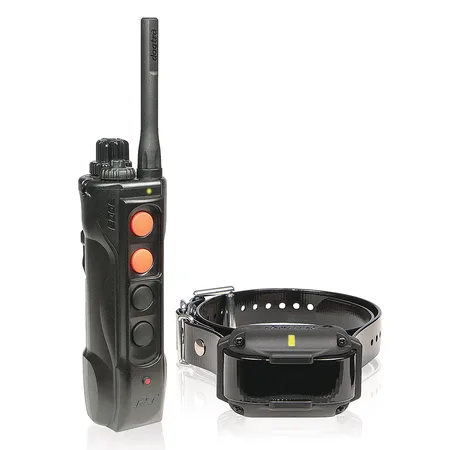
Manufacturer warranty
Dogtra training collars, bark collars and GPS systems come with the manufacturer's limited warranty against defects in materials and workmanship. How long it lasts and what it covers depend on the model and are set by the manufacturer, so check the warranty card or manual in your box for the exact terms.
Warranties usually don't cover batteries worn out by normal use, lost parts, chewing, physical damage, or damage from improper charging or unauthorized repairs. Keep your order confirmation email as proof of purchase, since you may be asked for it when you make a claim.
Making a warranty claim
If your Dogtra e collar stops working after normal use, contact us with your order number, the model and a short description of the problem. Photos or a short video help. We'll try some quick troubleshooting first, and if the unit is faulty we'll guide you through the manufacturer's warranty process. Problems you find when it arrives are handled under our Shipping & Returns policy instead.
Charging
Charge the remote and receiver fully before you use them. Only use the charger and splitter cable that came with your collar, make sure the charging ports are clean and dry, and push the rubber port covers back in firmly afterward so the collar stays waterproof. If the charging light doesn't change, try another outlet and plug the connectors in again.
Pairing a receiver and fitting the collar
New and additional receivers have to be paired with your remote before you use them. The steps are in your model's manual. For a good fit, the contact points should touch the skin on the side of the neck, with room to slide one finger under the strap. Move the collar every few hours to avoid skin irritation, and never leave it on for more than 12 hours a day.
Quick troubleshooting
• Dog not responding? Check the contact points touch the skin, try longer points for thick coats, and raise the level gradually
• Remote not connecting? Recharge both units and pair them again
• Pathfinder 2 not tracking? Make sure the app is up to date, your phone's Bluetooth is on, and the collar has a clear view of the sky
• Still stuck? Email us and we'll help
Keeping your warranty valid
A few habits keep your warranty valid and your collar working for years. Register your product if the manufacturer offers it, keep your order email as proof of purchase, only charge with the supplied charger, and rinse the receiver with fresh water after salt water or mud. Store the collar charged somewhere cool and dry in the off-season. Full warranty terms, manuals and registration details are on the official Dogtra website. If you're not sure whether something is covered, email us first and we'll point you in the right direction.
Batteries, contact points and replacement parts
Rechargeable batteries wear out and lose capacity over a few years. If your collar no longer lasts a full training day, a new battery or receiver is often the cheapest fix, and it usually isn't a warranty claim. Contact points wear too, and they come in different lengths for short and long coats, so check them regularly and keep them tight. If a receiver is lost or damaged beyond repair, an additional receiver from our store pairs with your existing remote and gets you back in the field quickly.